
Rockford Register Star, IL
USA TODAY Co.News & Magazines
3.277.00 Reviews
- Version
- 8.10.3
- Installs
- 10.00K
- Age Rating
- Everyone
Screenshots
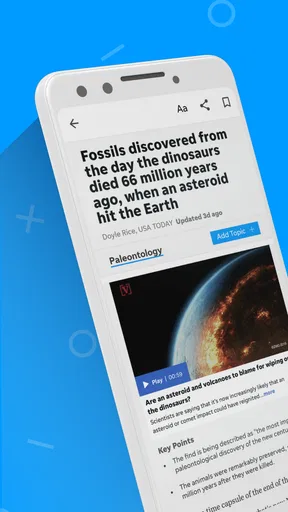
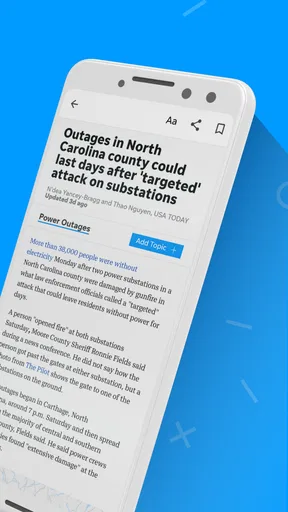
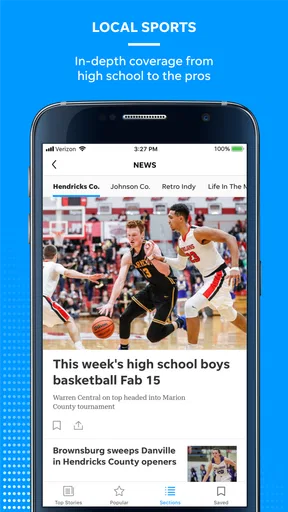
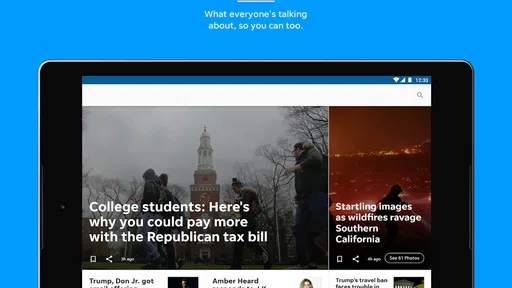
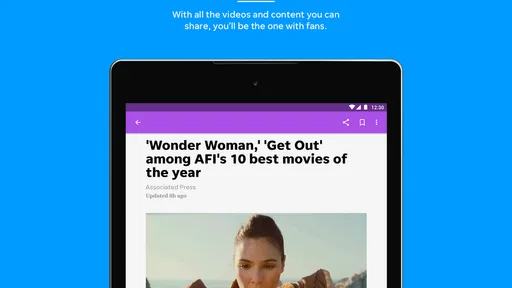
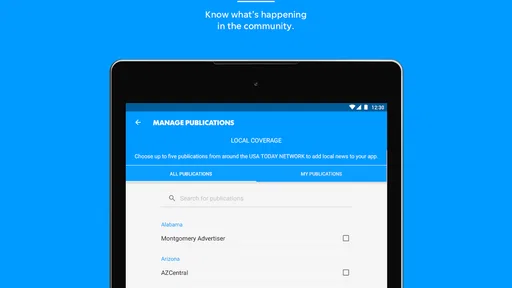
Our Review of Rockford Register Star, IL
 Analysis by Appyee
I approached Rockford Register Star, IL as a reader who wants local information without sorting through a national news feed first. This free News & Magazines app comes from USA TODAY Co. and is aimed at people who care about Rockford-area coverage while still wanting access to broader reporting, photography, and video. My overall impression is useful but selective: it can be a convenient daily reading point, yet it is not automatically the best choice for someone who wants a completely open, no-cost news experience.
The app has been around since 2011, and its current version is 8.10.3. It supports devices running Android 8.0 or later, carries an Everyone age rating, and has passed the early experimental stage that many small local-news apps never get beyond. At the same time, its average rating is 3.2 from around 139 ratings, so I would not describe it as universally loved. That mixed response matches my experience: the publication focus is valuable, but the reading journey depends heavily on what kind of news you expect and how much subscription friction you are willing to accept.
Following a local story from the first alert to the finished read
I’d use a local story as a practical test of the app: can I move from a quick headline check to enough context to make a decision, without losing time along the way? That means paying attention to what loads first, whether a longer read remains easy to follow, and when a photo or video is worth opening. Next, I look at how those choices hold up during heavier use.
Starting with a specific local need
The best way to judge this app is to begin with a realistic situation rather than open it casually and scroll. Imagine that I am leaving work in Rockford and hear that traffic, a public meeting, or a local event may affect my evening. I want a quick sense of what happened, then enough context to decide whether I need to change plans. A national news app may mention a major regional event, but it usually will not give the same attention to a neighborhood issue or a local institution.
That is where the Rockford Register Star identity matters. The short store description is simply “Rockford Register Star,” but the practical promise is more specific: this is a publication-centered app rather than a general-purpose headline collector. I open it expecting the local angle to lead, with national news available as a secondary part of the experience. That expectation is important because readers who mainly want world news, celebrity coverage, or a broad range of unrelated publishers may find a dedicated local publication too narrow.
My first useful habit is to approach the front page as a starting queue, not as a complete picture of everything happening nearby. I scan the most prominent items, look for a story connected to my immediate question, and then decide whether a video, photograph, or longer article will answer it better. The app’s combination of local and national reporting, visual journalism, and video gives me several ways into a story, but it also means I need to choose rather than assume every item has the same depth.
Moving from headline to context
For a quick update, I would begin with the headline and opening paragraphs. If the subject affects a route, school, local service, or community event, I then look for the details that turn a headline into a decision: where the event is happening, what area is involved, what time matters, and whether the report is describing an immediate development or a longer-running issue. This sounds simple, but it is a valuable workflow because local news is often useful only after I connect it to my own plans.
The visual material has a different role. A photograph can help me understand the scale or setting of an event faster than text, while video may be more useful when the story depends on a speech, scene, or developing situation. I do not treat those formats as decoration. I use them as a second check when a short article leaves me unsure about what is actually happening. The trade-off is that rich media can make a quick check feel less direct than reading a text-only feed, especially when I am on a limited connection or simply want the essential facts.
One practical tip is to separate “I need to know now” from “I want to understand later.” For the first task, I stay with the shortest relevant report and avoid opening every related item. For the second, I use the app’s broader mix of articles, photography, and video to build a fuller picture. This prevents the common mistake of judging the whole product by one hurried glance at the front page.
Handling the handoff from free access to paid reading
The app itself is free to install, but that does not mean every part of the reading experience is free. In-app purchases range from $9.99 to $69.99 per item, so readers should think of the download as an entry point to a publication rather than a guarantee of unlimited access at no cost. I would check what I can read comfortably before relying on it as my only local-news source.
This is the first important handoff in the workflow: I move from browsing the app to deciding whether the publication’s access model fits me. A person who reads one local article occasionally may be satisfied with the available free material. Someone who wants regular, complete coverage may encounter a purchase decision at the point where the story becomes most useful. That is not automatically a flaw; reporting needs support. It is friction, however, and it changes the app’s value depending on how often I use it.
My advice is to decide in advance what role the app will play. If I need a dependable local briefing every morning, I judge the purchase options against that habit and against the cost of my time spent searching elsewhere. If I only want occasional updates about Rockford, I avoid assuming that installing the app commits me to paying. I also pay attention to the wording around any purchase before confirming it, because the listed range is broad and different items may represent different levels of access.
Using the app during an ordinary day
Here is the workflow I would actually use. In the morning, I open the app for a fast local scan rather than reading every national item. I note one or two stories that could affect my day. Around lunchtime, I return only if one of those stories has changed or if I need more context. In the evening, I use the longer article, photograph, or video to understand the outcome instead of repeatedly refreshing the same headline.
That routine makes the app feel more purposeful. It also shows one of its less obvious strengths: a local publication app can act as a filter for attention. Rather than presenting an endless stream of unrelated subjects, it gives me a reason to check in based on place. For a resident, commuter, parent, or person following local institutions, that geographic focus can be more useful than a larger app with far more content.
The weakness is that the same focus can feel limiting when my interests move outside the Rockford area. The national material broadens the experience, but I would not replace a comprehensive national news app with this one. I would use it alongside one if I wanted both local depth and a wide national or international view.
Where the handoffs create friction
News apps are judged not only by their articles but by the transitions between them. I pay attention to what happens when I move from a headline to a full story, from text to video, and from free browsing to a purchase prompt. Each transition asks me to make a small decision: continue, wait, sign in, pay, or leave. When those decisions arrive at the wrong moment, the app feels less like a quick news tool and more like a storefront.
For me, the most important friction is not the existence of paid content; it is uncertainty about how far I can read before I need to make a commitment. I prefer to know the boundaries early. If I am checking a developing local situation while busy, an interrupted article is especially inconvenient. In that situation, I may use the app to discover the story and then rely on another accessible source for immediate confirmation, even though that second source may not have the same local reporting.
Media-heavy stories introduce another handoff. A video can make a report more vivid, but it also requires more time and a better connection than a paragraph. I use video when seeing or hearing the event adds real understanding. I skip it when I am standing in a queue or trying to make a quick decision. This is a small but important distinction: the richest format is not always the most useful format.
Who benefits most from this publication-focused approach
I think the app is most suitable for people with a direct connection to Rockford and the surrounding community. Residents can use it to keep local issues in view, while former residents or family members elsewhere may appreciate a simple way to follow what is happening back home. It also makes sense for readers who prefer a newspaper-style editorial focus over an algorithm that mixes every possible subject together.
It is less suitable for someone who wants a single app for every news need. If my priority is international reporting, live financial information, a huge range of specialist topics, or a completely free reading habit, I would look at broader alternatives. A general news aggregator is better for comparing many publishers in one place. A broadcaster’s app may be better for frequent live updates. A browser-based search may be better for one-off questions when I do not want to install a publication-specific app.
There is also a difference between wanting local journalism and wanting local conversation. This app is built around the publication’s reporting, not around replacing neighborhood groups, community forums, or official alerts. I would not use it as my only source for urgent instructions. For immediate safety information, official local channels remain the more appropriate handoff; I would use the app for reporting and context around the event.
What the rating and platform details suggest in practice
The app is rated for Everyone, which makes it approachable for a broad household audience. That does not mean every story will be comfortable or relevant for every reader; news naturally covers difficult subjects. It simply means the app is presented as a general-audience news product rather than a narrowly age-gated entertainment app.
Its install base is over 10 thousand, enough to show that it serves a real audience while still feeling more specialized than a dominant national news platform. I would interpret that scale as a reason to value the local focus, not as proof that the app will offer the same polish or breadth as the biggest apps in the category. The 3.2 average also tells me to install it with realistic expectations and evaluate the current experience myself rather than relying on popularity alone.
Compatibility with Android 8.0 or later is helpful for people using older supported devices, although performance can still vary with connection quality and hardware. I would keep the app updated to version 8.10.3 when possible, particularly because news apps depend on smooth content loading and media playback. Updating is not a substitute for a good connection, but it removes one avoidable source of trouble.
Three ways I would make the workflow more efficient
First, I would use a two-pass reading method. The first pass is only for triage: identify what affects me today and ignore everything else. The second pass is for context: return to the one story that deserves attention and use its available formats deliberately. This keeps a local-news app from becoming another endless scrolling habit.
Second, I would test the app at the exact time and place where I expect to need it. A home Wi-Fi check may feel fine, but a commuter reading on mobile data may experience media differently. I would open a text article, try a visual story, and see how the purchase boundary affects the reading flow before depending on the app for a daily routine.
Third, I would pair it with a separate source rather than asking it to do everything. The Register Star app can be my local lens, while another service handles national breadth or urgent official notices. This is not a criticism; it is a sensible division of labor. The more specific the publication, the more valuable it becomes when I give it a specific job.
My final assessment after following the complete journey
From the initial local question to the final decision about whether a story is worth deeper reading, Rockford Register Star, IL offers a focused route through Rockford news. Its strongest point is identity: I know why I am opening it, and the local emphasis gives the experience a purpose that broad aggregators often lose. The combination of written reporting, photography, video, and national material gives me more than a bare headline list.
Its limitations appear at the handoffs. Free installation can lead into paid access, rich media is not always ideal for quick checks, and the app cannot replace a broad national service or official emergency channel. Those issues do not make it a poor choice, but they do make the app better for a defined audience than for everyone.
My recommendation is straightforward: choose it if Rockford coverage is central to your daily reading, and treat it as a local-news companion rather than an all-purpose news replacement. I would install it for the publication focus, test the free reading experience, and then decide whether the available purchase options match my habits. For a reader who wants to know what is happening nearby and is comfortable with that model, it can become a useful part of the day. For someone seeking unlimited, wide-ranging news with minimal friction, another category option will probably fit better.
Verdict
Strengths of Rockford Register Star, IL
- Provides local news coverage focused on Rockford and surrounding communities.
- Offers reporting on local government, schools, crime, and regional events.
- Convenient mobile access to articles, updates, and breaking news.
- May include subscriber-only content for deeper local reporting.
- Useful for residents who want news from a community-focused source.
Limitations of Rockford Register Star, IL
- Many articles may require a paid subscription or account to access fully.
- Coverage is primarily regional, with limited national or international news.
- Some content may load slowly depending on connection or app performance.
- Frequent notifications can feel excessive unless carefully customized.
- The app’s usefulness may be limited for readers outside the Rockford area.
Other Releases by USA TODAY Co.
View All
IndyStar: Indianapolis Star
News & Magazines2.7

AZ Central: Arizona Republic
News & Magazines2.5

The Detroit News: Local News
News & Magazines3.1

Detroit Free Press: Freep
News & Magazines3.0
Similar Picks in This Category
View All
Google News - Daily Headlines
Google LLC4.0

X
X Corp.4.8

Flipboard:Your Social Magazine
Flipboard3.4

Opera News: breaking & local
Opera4.5

Hindi News by Dainik Bhaskar
Dainik Bhaskar Group4.0

Way2News Daily News App
Way2News ( Formerly Way2SMS )4.6
Frequently Asked Questions
What is the Rockford Register Star, IL app used for?
The Rockford Register Star, IL app is designed to keep readers informed about local news and events in Rockford and the surrounding Illinois communities. It typically includes breaking news, local politics, crime reports, sports coverage, entertainment, business updates, opinion articles, and other stories published by the newspaper. It is especially useful for readers who want convenient access to regional reporting while away from a desktop browser.
Is the Rockford Register Star, IL app free to download and use?
The app can generally be downloaded without an upfront charge, but access to all articles and premium features may depend on the newspaper’s subscription policy. Some stories may be available for free, while frequent reading, e-edition access, or subscriber-only content may require a paid digital subscription. Before downloading, check the current listing and in-app terms because pricing, trial offers, and access limits can change.
Do I need a subscription to read news in the app?
A subscription may not be necessary to browse every feature, but unrestricted access to the Rockford Register Star’s full content can require a digital or print-and-digital subscription. The app may allow visitors to read selected articles before displaying a paywall. Existing subscribers should sign in with their account credentials, while new users can review the available plans and terms through the official subscription options.
Does the app provide breaking news, local sports, and community coverage?
Yes, the main purpose of the Rockford Register Star, IL app is to provide coverage focused on the Rockford area and nearby communities. Readers can typically find updates about local government, schools, public safety, community events, weather-related developments, high school and regional sports, and other issues affecting residents. Coverage and notification availability can vary depending on newsroom activity and app settings.
Can I receive notifications and read articles offline?
The app may offer push notifications for breaking stories, major local developments, and other selected topics. Users can usually control these alerts through the app or their device settings to avoid receiving unnecessary updates. Offline reading capabilities can vary by version and content type, so an internet connection is generally recommended for the newest articles, multimedia, advertisements, and complete newspaper or e-edition features.
